Simple Sales Management
Record customer purchases, track transactions and maintain accurate sales information throughout the working day.
Cloud-based point of sale
Moka POS makes everyday retail and restaurant work easier. Take orders, manage stock, record payments and check sales reports without juggling different tools.

Moka POS is a cloud-based point of sale solution designed to help businesses manage their daily operations. It brings sales transactions, inventory records, payment management and business reports into one connected platform.
Whether you run a small café, a busy restaurant or a retail shop, Moka POS helps you stay organised and access useful business information without making everyday tasks unnecessarily complicated.

Moka POS brings the core tools of daily trading into one connected platform, from the first sale of the morning to the last report of the day.
Record customer purchases, track transactions and maintain accurate sales information throughout the working day.
Keep track of stock levels, monitor product movement and stay informed about the items your business relies on.
Manage supported payment methods and maintain clearer records of customer transactions.
Review sales activity and business performance through reports that help you make informed decisions.
Assign appropriate system access to team members and maintain better control over daily operations.
Access connected business information through supported devices wherever an internet connection is available.
Running a business means keeping track of many small details. Moka POS helps bring those details together, making it easier to manage routine work and focus on customers.

Four practical stages take a business from a new account to informed decisions based on real sales data.
Create your business account and configure the settings needed for your daily operations.
Enter products, prices and relevant stock information to prepare your sales catalogue.
Use the Moka POS app to process transactions and keep your sales records organised.
Check available reports, monitor inventory and use business data to guide your next decisions.
Moka POS supports a wide range of businesses that need organised sales records, from small cafés to busy retail counters.

Keep orders and sales records organised so your team can concentrate on serving customers.

Manage daily transactions and review sales activity in a busy food service environment.

Keep product records, sales information and inventory details in one place.

Build more consistent working routines with a digital system that supports everyday business management.
Stock management is an important part of running a successful business. Moka POS helps you maintain inventory records and follow product movement as sales take place.

With clearer information about available products, you can identify popular items, review stock requirements and plan purchases more confidently.
Good business decisions begin with accurate information. Moka POS gives you access to sales reporting tools that make it easier to review transactions and understand business performance.
Whether you want to examine daily sales activity or identify changes in customer purchasing patterns, organised reports can help you see where your business stands.
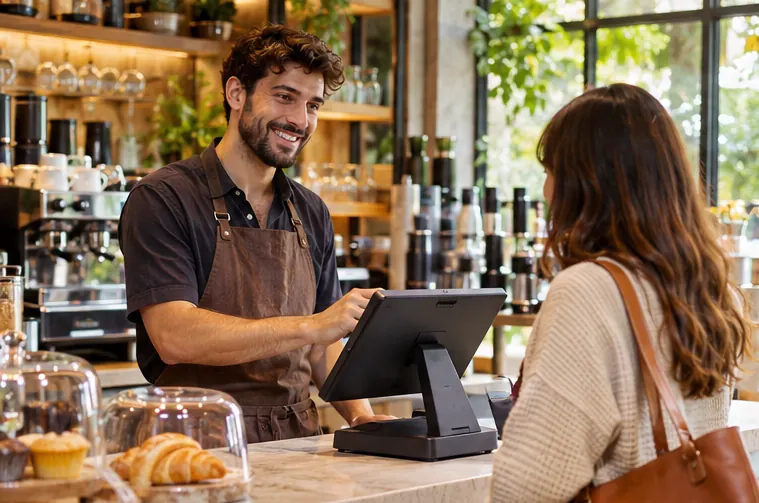
Reports are easy to review on a larger screen, which helps you compare one period with another and spot the products that drive your sales.
A reliable checkout process helps create a better experience for customers and staff.
Moka POS supports transaction management and digital payment workflows, helping businesses keep payment records organised.
With transaction information connected to the point of sale system, reviewing sales activity becomes more straightforward.

Moka POS provides a mobile point of sale application for supported Android and iOS devices. Business owners and staff can use the app for everyday sales and transaction management.

Access the Moka POS application through Google Play, where the official listing is named Moka POS – Aplikasi Kasir.
Find the Moka POS application on the Apple App Store. The listing is built around the iPad, so check it for current device compatibility. Open the App Store listing
Android APK is delivered by Aptoide, a third-party provider. Google Play remains available for store-managed installation and updates.
The Moka POS Backoffice provides a dedicated place for managing supported business information and reviewing operational records.

Existing users can access their accounts through the official Moka POS login page to work with the management tools available to their business.
Every business has different requirements. Before choosing a point of sale solution, it is worth considering the features you need, the number of users involved and the way your business handles transactions.
List the tools your business relies on most before comparing plans.
Count the cashiers, managers and owners who will need access to the system.
Think about the way customers pay and how many sales you record each day.
Explore the official Moka POS pricing information to check current plans, available features and any applicable charges.
Check Moka POS PricingMoving from manual processes to a digital point of sale system can make everyday management easier.
Start by identifying the tools your business needs most, whether that means better sales records, clearer inventory information or more accessible reporting.
Explore the Moka POS platform, review its available features and choose a setup that suits the way your business operates.
Clear answers to the questions business owners ask most often about Moka POS, its app, Backoffice login and pricing.

Moka POS is a cloud-based point of sale system used for managing business transactions, inventory information, sales reporting and other everyday operations.
Moka POS is designed to support small and medium-sized businesses, including retail shops and food service businesses.
Yes. Inventory tracking is one of the business management functions associated with the Moka POS platform.
Moka POS offers payment management capabilities. Available payment options may depend on the business setup and supported services.
Yes. Moka POS stores business information in the cloud, so connected data can be reached through supported devices wherever an internet connection is available.
Cafés, coffee shops, restaurants, food businesses, retail shops and small growing businesses use point of sale tools like Moka POS to organise daily sales and records.
Moka POS includes employee access management, so owners can assign suitable system access to each team member and keep sensitive settings protected.
Yes. Sales activity can be reviewed through the reporting tools, and the Google Play listing describes a real-time dashboard for business reports.
App Store release notes describe custom discounts that merchants configure in the Moka Backoffice and cashiers then apply manually, either as a percentage or as a fixed rupiah amount.
Recording sales digitally through the app reduces reliance on handwritten transaction records and keeps sales and stock information organised in one system.
Moka POS offers applications for supported Android and iOS devices. Check the relevant app listing for current compatibility requirements.
Existing users can visit the official Moka POS Backoffice login page at backoffice.Moka POS.com/login to access their accounts.
Pricing can depend on the plan and services selected. Visit the official Moka POS website for the latest pricing information.
The Android app is published on Google Play under the name Moka POS – Aplikasi Kasir. Installing from that listing gives you official updates.
Yes. The Moka POS app is listed on the Apple App Store with screenshots built around the iPad. Availability can vary by country.
The Backoffice is the browser-based management area of Moka POS, used for products, staff access, discounts and business reports.
Cloud features such as syncing data and viewing reports rely on an internet connection, so a stable network is recommended at the counter.
Unofficial APK files may be modified or outdated and do not receive automatic updates. Installing from Google Play is the safer choice for a business device.
The store listings show the app as free to install. Using the full point of sale service depends on the plan you choose with Moka.
No. This website explains Moka POS features and access options and is not affiliated with Moka. The official website is Moka POS.com.